One library had 98.5% of assets tagged. Nearly everything labeled. By most measures, a metadata success story.
It was also one of the hardest libraries we’ve seen to search.
“It’s chaos. It’s absolute chaos,” the creative director told us, describing her own team’s search experience. Her brand manager’s response was almost worse: “I don’t think you’re going to ruin anyone’s workflow” when we proposed removing most of the tags.
The tags had gotten so disconnected from actual use that deleting most of them posed zero risk to daily work. They weren’t driving anything. They were noise sitting on top of noise.
More tagging isn’t the same as better tagging. High coverage tells you tagging happened. It tells you nothing about whether any of it helps someone find what they need.
The Problem: Five Ways Tag Libraries Quietly Break
Tag pollution doesn’t happen all at once. It happens one well-intentioned tag at a time, over years, until search quietly stops working and nobody can say exactly when it broke. Here’s what we keep finding when we look closely:
- Auto-generated noise disguised as metadata — Libraries with 730 to 1,250 tags, where the top tags by volume are things like “jpg,” “JPEG,” “1080x1920.” File format data that nobody searches for, taking up space at the top of the list.
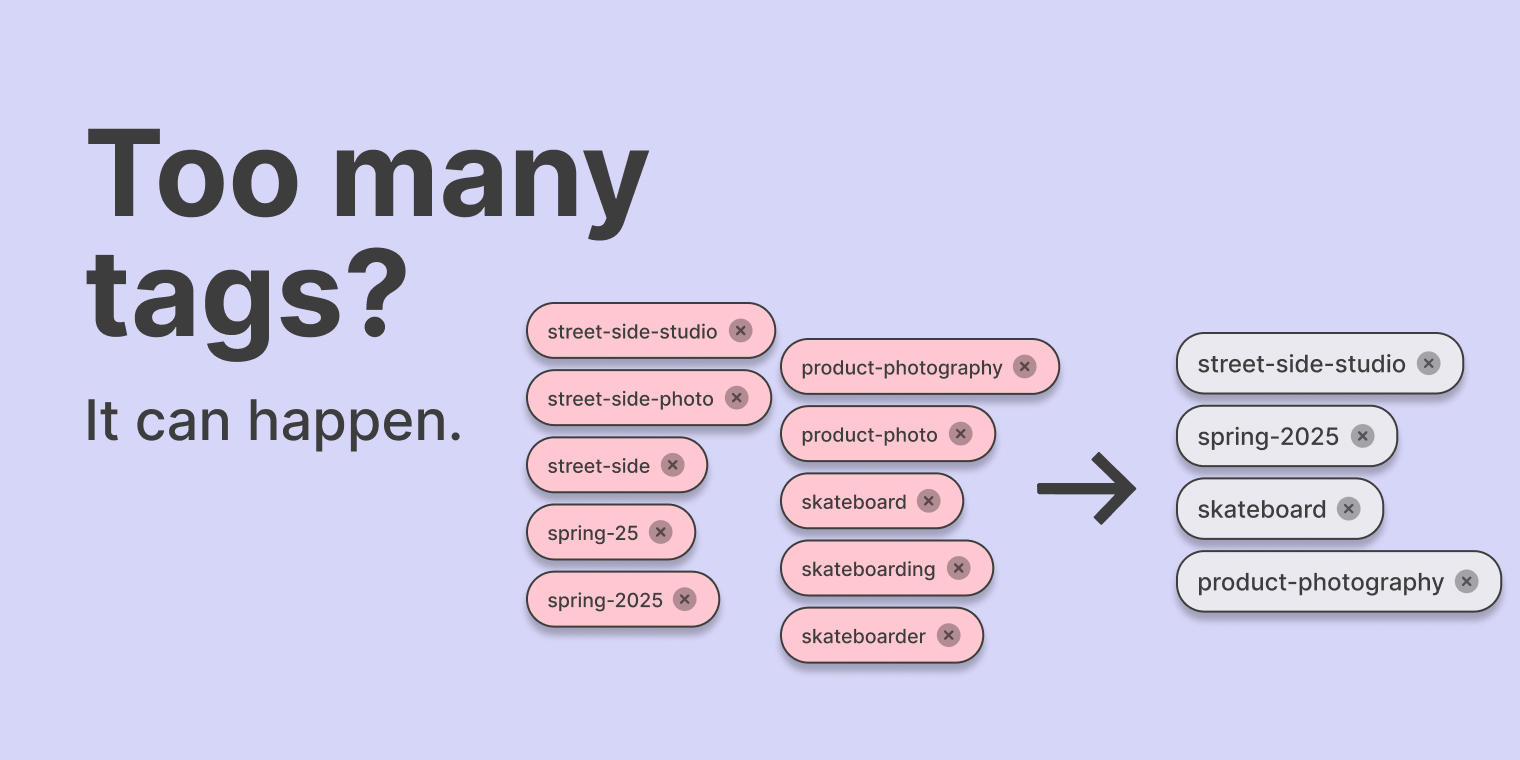
- 54% single-use tags — In one account, over half the tagging system existed for exactly one asset. Not a taxonomy. A pile of one-off labels.
- 87 groups of spelling variants — The same brand name split two ways across 1,052 assets. Search the correct spelling, get half your results. Search the other version, get the rest.
- Platform artifacts masquerading as tags — Google Drive folder names and Slack file hashes pulled in as “searchable” metadata. Exhaust from a different system, dragged along and treated like it means something.
- Synonym sprawl — Six spellings of the same sport. Four tags all meaning “sell sheet.” Every version splits your results a little further.
The Fix: What Cleanup Actually Delivers
Across the accounts we’ve worked through, tag reduction after cleanup runs 50–80%. Half or more of existing tags get removed, merged, or normalized.
The result isn’t a smaller, more limited system. It’s the opposite:
- Faster search
- More relevant results
- Zero loss of navigational capability
Removing the noise doesn’t cost you anything. The tags that were competing for attention against thousands of meaningless ones finally get to do their job.
The Real Fix: Preventing the Buildup
Proper cleanup solves the immediate problem. It doesn’t solve why the problem exists, which is that tagging happens ad hoc, by different people, at different times, with nothing checking for duplicates or noise as it gets created.
The tags you inherit at migration are the tags you live with for years. This is why migration is the moment to fix the problem, not just move it. Every account contributing data to this piece started as a migration audit.
Before we bring a single asset into Collage, we run this tag analysis against the existing library: identifying auto-generated noise, flagging single-use tags, grouping spelling variants, and separating platform artifacts from real metadata.
We then use AI to do in a few hours what used to take a team weeks: normalizing variants, merging duplicates, and building a cleaner tag structure before migration, not after.
The goal goes beyond a one-time cleanup. Collage helps start your new system without the thousand tags that broke the old one. With good governance in place, it doesn’t happen again.
The Key Takeaway
If your team hasn’t looked closely at your tag library recently, there’s a good chance it looks like the accounts we’ve seen. Auto-generated noise at the top. Dozens of one-off tags. Spelling variants quietly splitting results.
This is fixable, and faster than most teams assume. And it doesn’t have to happen again.
See what this looks like for your library. Every Collage migration starts with a free tag and metadata audit. We’ll show you how much noise is sitting in your current system and what a cleaner structure looks like before you move a single asset.
Request a migration audit and we’ll show you what’s really there.